How to Play Resident Evil Village in VR on PS VR2
Resident Evil Village's PS VR2 mode is free, covers the whole campaign and installs separately. Here's exactly what you need and how to turn it on.
Contents
First published. Prices, store availability and settings checked against Capcom's web manual.
Yes — the whole of Resident Evil Village's main campaign runs on PlayStation VR2, the mode costs nothing, and the most common reason players cannot find it is that it never downloaded. VR Mode is free DLC for anyone who owns the PS5 version, and PlayStation's announcement said plainly that the DLC must be downloaded separately. You also need both Sense controllers — a DualSense will not work — and a fresh save, because VR Mode does not read the one from your flat playthrough.
Everything below comes from Capcom's web manual, Sony's support pages and the PlayStation.Blog announcements rather than from our own time in a headset: AFK Journal does not claim first-hand play, and outlet-only details are named as such. For the game itself, see our Resident Evil Village hub.
Does Resident Evil Village have a PS VR2 mode?
It does, and it is a full mode rather than a bonus level. Capcom calls it Resident Evil Village VR Mode; in-game the two states are labelled VR Mode and Original Mode, with the manual defining the latter as every piece of content outside VR. It launched on 22 February 2023, the day PS VR2 went on sale, as free DLC for owners of the full game (residentevil.com).
The scope was the headline. At the June 2022 announcement, PlayStation described the plan as "the story campaign in its entirety to be playable in VR" — not a demo slice, not a shooting gallery.
A separate free Gameplay Demo also exists. Capcom's page says it can be played even without owning the game, while the store listing implies you do — a conflict we flag rather than resolve.
What do you need to play Resident Evil Village in VR?
Five things, one of which people forget: a PlayStation 5, a PS VR2 headset, both Sense controllers, the PS5 version of the game, and the free VR Mode add-on. Sony states that PS VR2 is not compatible with PlayStation 4 consoles, so a PS4 copy is a dead end whatever you plug in.
The controllers are not negotiable. Capcom's manual states that "VR Mode cannot be played with a DualSense™ wireless controller", and the store listing agrees. Sense controllers ship in the retail box, so this mainly bites second-hand buyers.
PS5 Pro owners are covered — Sony confirmed PS VR2 compatibility at the Pro's announcement — but expect no documented VR uplift: UploadVR left Village off its list of titles with PS5 Pro enhancements because it is unclear whether the Pro patch reaches VR at all.
| Requirement | Detail | Required? |
|---|---|---|
| Console | PlayStation 5 (PS5 Pro compatible) | Yes |
| Headset | PlayStation VR2 | Yes |
| Controllers | Both PS VR2 Sense controllers — DualSense will not work | Yes |
| Game | Resident Evil Village, PS5 version | Yes |
| VR Mode DLC | "Resident Evil Village VR Mode" — free, separate download | Yes |
| PS Plus | Not needed for the single-player campaign | No |
| Winters' Expansion / Gold Edition | Adds no VR content | No |
| Play space | 1 m × 1 m seated or standing; 2 m × 2 m roomscale | Yes |
How to set up PS VR2 and download the VR mode
These steps condense PlayStation's setup and play area pages. Follow the order: the play-area scan and eye-tracking calibration gate what comes later.
- Connect the headset's USB Type-C cable to the PS5's front USB-C port.
- Connect the stereo headphones to the headset.
- Pair each Sense controller by USB cable, then unplug it and press the function button.
- Clear the space, put the lights on and close the curtains — direct sunlight breaks tracking.
- Fit the headset and adjust the lens distance so your eyes sit in the middle of the lenses.
- Run the eye-tracking calibration: Sony's instruction is to "follow the dot on the screen".
- Set the play area from Settings > Accessories > PlayStation VR2 > Set Play Area, then scan the room.
- Download the DLC: PlayStation Store > Resident Evil Village > Add-ons > "Resident Evil Village VR Mode" (Free).
Sony's stated minimums are 2 m by 2 m for roomscale and 1 m by 1 m for sitting and standing. The boundary is enforced: step outside it and, in Sony's words, "your game is paused" while the view switches to your surroundings. In a game built on things lunging out of the dark, that is a feature.
How do you actually turn on VR Mode in Resident Evil Village?
Once the add-on is installed, the game asks you. Capcom's manual describes the launch prompt as "Play in VR Mode?" — answer yes and the game starts in the headset. If you answered no, the same manual points at the Original Mode menu, where a VR Mode entry triggers the identical prompt.
Inside VR the main menu reads New Game, Load Game, Continue, Options, Original Mode and VR Bonuses. That third-from-last entry is the way back out.
Do your existing saves work in VR Mode?
No, and this is the most-missed fact about the whole mode. Capcom's manual states that "VR Mode requires new save data" and that it is not compatible with saved data from Original Mode. The same page adds that "Trophies and bonuses from Original Mode are not linked with VR Mode", and notes that some settings are stored separately.
Push Square hit the same wall on launch day in 2023, reporting that an existing save cannot be picked up. Budget for a full replay: the Duke's stock and your upgrades reset too.
What's different when you play Resident Evil Village in VR?
Almost every verb. You can hold a different gun in each hand — PlayStation's announcement gave the example of a handgun in one hand and a shotgun in the other — and steadying a weapon is physical rather than a button. Capcom's manual puts it in one line: "Hold a gun with both hands to reduce recoil."
Reloading is per-weapon and entirely manual. The LEMI wants the magazine ejected, a fresh one taken from your pouch and inserted, then the slide pulled. The M1897 takes shells one at a time before you pump the foregrip. The F2 Rifle ejects, reloads, then needs its bolt handle pulled up and toward you.
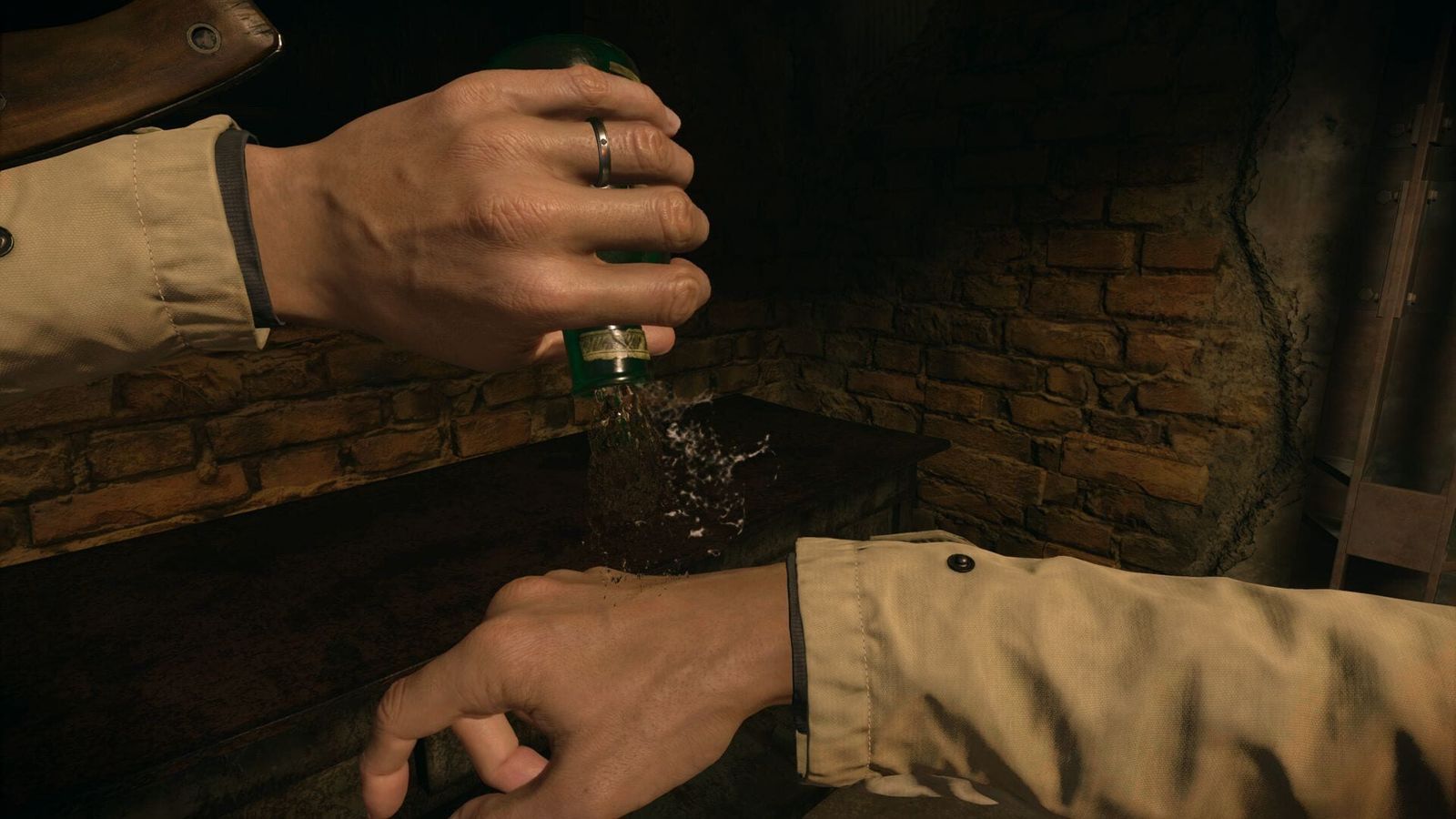
The same logic runs through the rest of the kit, documented in Capcom's manual. The knife comes out of a sheath. Guarding means raising both palms inward, striking means thrusting a fist. Pipe bombs, mines and the flashlight come from inside your jacket, and healing is a body shortcut you uncap and physically invert — the manual states flatly that "You cannot heal from the Inventory screen".
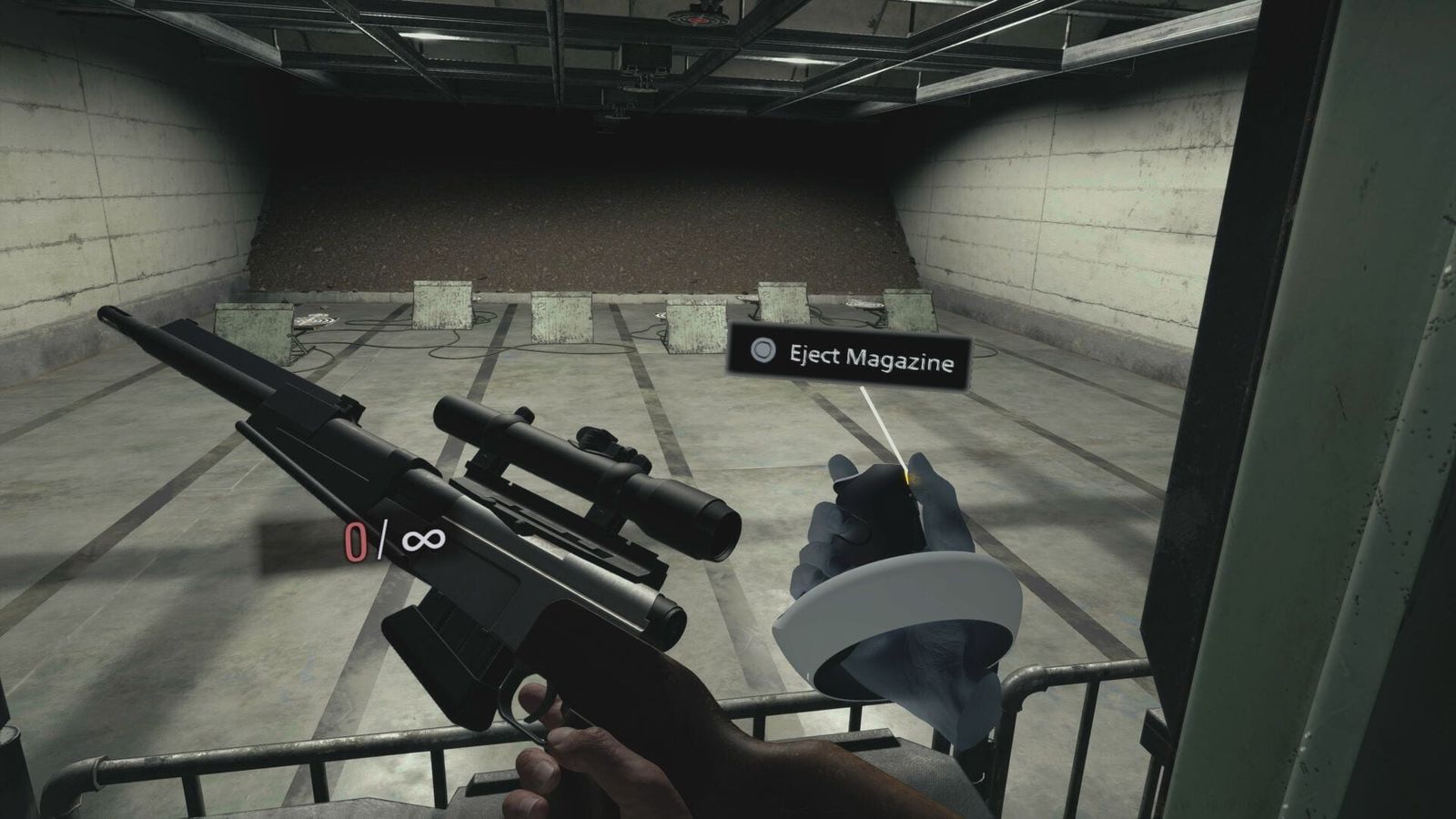
Technically, Capcom targeted the headset rather than porting the flat image across: PlayStation's announcement lists 4K HDR at 2000×2040 per eye, with eye tracking and 3D audio. VR director Kazuhiro Takahara told UploadVR the team "utilized foveated rendering, which involves eye tracking", and described the game running at 60fps reprojected up to 120Hz — a figure that belongs to that interview, not a spec sheet.
Two things do not survive the transition: Photo Mode is unavailable in VR, and cutscenes get a Toggle Stereoscopic 3D pause-menu option. A VR Headset Vibration toggle sits in the settings.
| Content | VR Mode | Source |
|---|---|---|
| Main campaign | Supported, in full | PlayStation.Blog, 14 Dec 2022 |
| The Mercenaries | Not supported | PS Store product notes |
| Shadows of Rose | Not supported (part of Winters' Expansion) | PS Store product notes |
| Third Person Mode | Not supported (Original Mode option only) | Capcom manual 11/1 |
| Extra Content Shop All Access Voucher | Not supported | PS Store product notes |
| Trauma Pack / Survival Resources Pack | Partially supported | PS Store product notes |
| Photo Mode | Not available in VR | Capcom manual 14/10 |
| Original Mode save files | Not compatible — new save required | Capcom manual 14/2 |
Best comfort settings for Resident Evil Village VR
Capcom keeps the VR-specific options in a VR Settings section inside the Options menu, and says the defaults are already configured to alleviate some difficulties and discomforts. Two are worth revisiting: the turn type and the tunnelling vignette.
Snap turning is the safer choice if you are new to VR; Push Square's review noted a 30° snap as the default. Tunnelling is Capcom's name for the vignette that, in the manual's words, "darkens the edges of the screen while moving, restricting your peripheral vision" — with the caveat, also Capcom's, that its "effectiveness in alleviating motion sickness will vary from player to player".
What is not there is teleport movement. Locomotion is stick-based only, and UploadVR's review describes exactly that: artificial movement with no teleport option. If teleporting is the only way you tolerate VR, that is the deciding fact about this game.
| Setting | Options | What it changes |
|---|---|---|
| VR Play Style | Standing / Sitting | Standing reflects your real head height in the in-game camera; switching moves equipment and shortcut positions |
| Camera Turn Type | Smooth Turn / Snap Turn | Smooth adds a camera speed slider; snap adds a turn angle and speed, and defaults to a 30° step |
| Quick Turn | On / Off | A fast about-face on demand, for looking behind you without rotating your body |
| Tunneling | Adjustable | Darkens the screen edges while you move, restricting peripheral vision |
| Hip Equipment Height | Slider | Moves where the weapon and item body shortcuts sit on you |
| Dominant Hand | Right / Left | Capcom's left-handed support; it repositions the body shortcuts |
| Grab Control Style | Hold / Toggle / Hybrid / Touch | How picking things up is bound — hold a button, toggle it, or touch alone |
| Gunplay Assists | Auto-load When Empty / Auto Cocking / One-button Auto Reload | Removes part or all of the manual reload sequence |
A Dominant Eye setting paired with Sighting Assist rounds it out; Capcom describes the latter as automatically aligning the sights or scope with your dominant eye. Sony's motion-sickness guidance is worth more than any single toggle: short sessions, seated to begin with, built up slowly, with a timer for breaks. Capcom's advice is blunter — if you start to feel uncomfortable or tired, stop using VR Mode immediately. The store listing also warns that PS VR2 is not for use by children under 12.
If you like a game that hands you this many switches, our breakdown of every weapon type in Monster Hunter Wilds is the same exercise in another genre.
Resident Evil Village VR mode not showing up? Fixes that actually apply
Work down this list in order. In most cases the answer is the first item, and every fix traces to Capcom or PlayStation Support.
- The DLC is a separate download. PlayStation Store > Resident Evil Village > Add-ons > "Resident Evil Village VR Mode". It does not arrive with a game patch.
- You need the PS5 version. The VR Mode listing is PS5-only, and PS VR2 does not work with a PS4.
- You need the Sense controllers. Capcom's manual rules out the DualSense outright.
- Reset a misbehaving controller. Sony's troubleshooting page walks through it: power the PS5 off, press the small reset button on the back with a pin, reconnect by USB and press the PS button.
- Screen drifting in cinematic mode? Press and hold the options button on the Sense controller to reset the screen position (same page).
- Tracking wandering? Wipe the headset cameras, keep direct sunlight off them and keep the room lit.
You will also see "Restore Licences" recommended in community threads. That is a workaround, not a documented fix for this problem — try it last. The same goes for the patch numbers that circulate as prerequisites: no official statement requires one.
Which other Resident Evil games have a PS VR2 mode?
One other, and it follows the same template. Resident Evil 4's VR Mode arrived on 8 December 2023, also free, also PS5 with Sense controllers required, and also limited to the main story — the store listing states that The Mercenaries and Separate Ways are not supported (PlayStation.Blog).
Resident Evil 7 is the one people get wrong. Its VR support is celebrated, but Sony's own game page says those features require a PS4. If you see "PlayStation VR2 optional" on a bundle pairing RE7 with Village, that tag comes from Village.
And there is no official PC VR version of Village. praydog's REFramework is an unofficial community mod for the RE Engine, not a Capcom product. The PS VR2 PC Adapter is no way round it either: Sony lists HDR output, Sense haptics, adaptive triggers, headset feedback and eye tracking as unavailable on PC. Everything else we have written sits on the Resident Evil Village hub.
FAQ
Is Resident Evil Village VR mode free?
Yes. Capcom released it as free DLC on 22 February 2023, PS VR2's launch day. You need the PS5 version of the game to play it, and the DLC downloads separately from the store's Add-ons list. A free standalone VR demo also exists.
Can you play the whole game in VR?
The entire main campaign is playable in VR. The Mercenaries, Shadows of Rose, the rest of the Winters' Expansion and Third Person Mode are not supported, per PlayStation Store's own product notes.
Do my Resident Evil Village saves transfer to VR Mode?
No. Capcom states VR Mode requires new save data and is not compatible with Original Mode saves, and that Original Mode trophies and bonuses are not linked to VR Mode. You start again.
Can I use a DualSense controller instead of the Sense controllers?
No. Capcom's manual says plainly that VR Mode cannot be played with a DualSense wireless controller, and the store listing lists PS VR2 Sense controllers as required.
Is there a teleport option if VR makes me motion sick?
No teleport locomotion exists. Capcom offers snap turning, an adjustable Tunneling vignette, a Sitting play style and gunplay assists instead. Sony advises short sessions at first, building up gradually.
- Resident Evil Village VR Mode — official page — Capcom
- Resident Evil Village web manual — VR Mode — Capcom
- VR Mode launches February 22 for PS VR2 as free DLC — PlayStation.Blog
- Resident Evil Village VR Mode — PlayStation Store — PlayStation Store
- Set up your PS VR2 — PlayStation Support
- Set your PS VR2 play area — PlayStation Support
- Capcom talks Resident Evil Village PS VR2 — UploadVR
- Resident Evil Village PS VR2 review — UploadVR