Enshrouded Beginner Guide: 10 Things to Know Before You Start
Ten beginner tips for Enshrouded 1.0, from difficulty presets and your first Flame Altar to Shroud timers, skill points and what your character keeps.
Contents
First published. Checked against the 1.0 changelog, hotfix 1.0.0.3 (21 October 2026) and Keen Games' help centre as of 25 October 2026.
The short version: start on the Default preset, place a Flame Altar as soon as you can, spend every skill point, and treat the Shroud as a countdown rather than a place to explore. Enshrouded 1.0 rewards preparation far more than reflexes in its first hours, and several of the systems that matter most are explained only in passing.
This guide is built on Keen Games' full 1.0 changelog, the developer's help-centre tips and FAQ, and the questions new players are asking on r/Enshrouded. We have not played the game: every tip below points to where Keen documents it. Checked against hotfix 1.0.0.3 (21 October 2026) on 25 October 2026.
1. Pick a difficulty preset, then adjust it without guilt
Enshrouded has five difficulty presets, and Keen's gameplay settings documentation calls Default "the recommended setting for first-time players". Custom is where it gets interesting: it exposes individual sliders for Shroud time, resource yield, mining effectiveness, weapon durability, workstation speed and more, and hunger and starvation is a separate toggle that is off by default.
| Preset | What it changes | Who it suits |
|---|---|---|
| Default | Baseline values; Keen's recommendation for first-time players | Anyone starting out |
| Relaxed | Fewer enemies, more resources and loot | Builders and light adventuring |
| Hard | More enemies, and they are more aggressive | Players who want tougher combat |
| Survival | Extra survival mechanics on top of more aggressive enemies | Players who want punishment |
| Custom | Unlocks every individual slider and toggle | Anyone who wants to tune one thing |
In a r/Enshrouded thread on 17 October 2026 asking which difficulty people use, most replies described Default with one or two changes: more resources for solo players, faster crafting stations or no weapon durability. One reply reported that custom settings still award achievements; Keen has not documented this either way.
2. Solo works fine, and the game scales to your group
Keen's official FAQ says Enshrouded can be played solo and offline, or in co-op with up to 16 players. The 1.0 changelog added an "Automatic" option to the enemy-amount setting that scales each encounter to the players actively nearby, so a friend exploring another region doesn't make your fight harder. There is no crossplay yet: the launch FAQ says Keen is working on it without an estimate.
3. Place your first Flame Altar early, then keep upgrading the Flame
The Flame Altar anchors your base and your fast-travel network. In 1.0 Keen retuned the opening so that your first level-up is designed to happen when you place your first altar, rather than when you walk into Longkeep. Upgrading the Flame then pays off in four ways, all documented by Keen:
- Bonus stats for every player on the server, useful when an area's enemies outclass you.
- More altars, which double as fast-travel points above the Shroud; Flame level 11 raises the cap to 16.
- Armour sets: since 1.0, every Flame upgrade automatically unlocks the craftable sets of the next tier.
- More time in the Shroud, and at level 11 the ability to push the Shroud back with your altars. The required Flame level for that can be lowered in the world settings.
4. Spend every skill point, and destroy Shroud roots when you find them
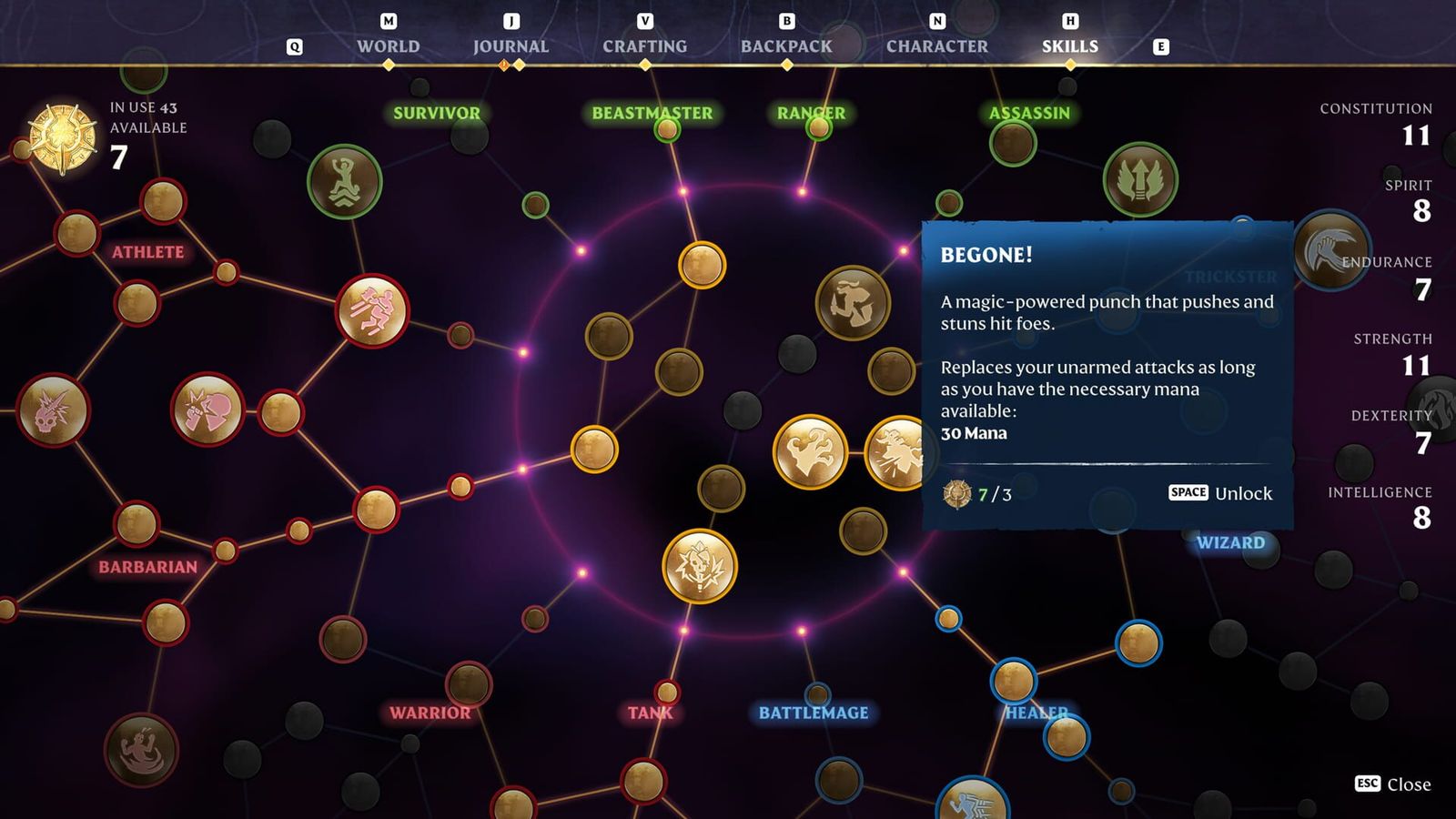
There is no class to pick at the start. The skill tree is one large web split into areas such as Warrior, Ranger, Assassin, Wizard and Healer, and you can specialise or blend them. If you are bringing an Early Access character into 1.0, its skill tree has been reset; Keen's combat preview was blunt about leaving the base without reinvesting the points. Shroud roots are a source of extra skill points, and 1.0 added six more of them in the new areas at the edge of the map. Builders should look at Airborne Architect, a new skill at the centre of the tree that lets you build in a free-flying mode.
5. Equip the glider and grappling hook before you need them
Keen's own tips list starts with this one: crafting a glider or grappling hook is not enough, they have to be equipped before they work. Traversal matters more in 1.0, because air streams can now push a gliding player sideways, forwards or downwards as well as up, and the glider recipe needs less Shroud Adhesive than before. Lore, towers and obelisks reveal new locations on the map, so climbing a tower is often the quickest way to plan a route.
6. Treat the Shroud as a countdown, not a place to explore
Inside the Shroud a timer runs down, and you do not want to be there when it ends. Keen's tips boil down to preparation: drink a Shroud Survival potion before going in, remember the way you came in, and note the towers, caves and ledges where the fog doesn't reach so you can catch your breath. Take a bow or staff too, because some Shroud enemies fly and are hard to hit with melee.
| Method | How it works | When you get it |
|---|---|---|
| Shroud Survival potion/flask | Extends your time; drinking another while active now extends the buff | Early, from crafting |
| Hourglass capsule | About 70% more time per use, per the 1.0 changelog | Found in points of interest; also dropped by large Fell enemies |
| Flame Altar upgrade | Raises your base Shroud time | Each Flame level |
| Inner Fires skill | More time in the Shroud | Skill tree |
| Survival Instinct skill (bow/dagger) | Killing a Shroud-infested enemy with a bow or dagger restores some time | Skill tree, new in 1.0 |
| Shroud Time slider | Scales Shroud time from 50% to 200% | World settings, any time |
7. Eat before you leave, and get a Farmer as soon as you can
Food in Enshrouded is mostly a buff, not a hunger bar: each dish adds health, stamina or mana regeneration, strength or similar stats for a limited time. Keen suggests mages, warriors and rangers check which foods suit their build and carry some when exploring. Hunger and starvation only apply if you switch them on in the world settings. Bandages are cheap in personal crafting but heal over time, so they are a backup rather than a replacement for health potions.
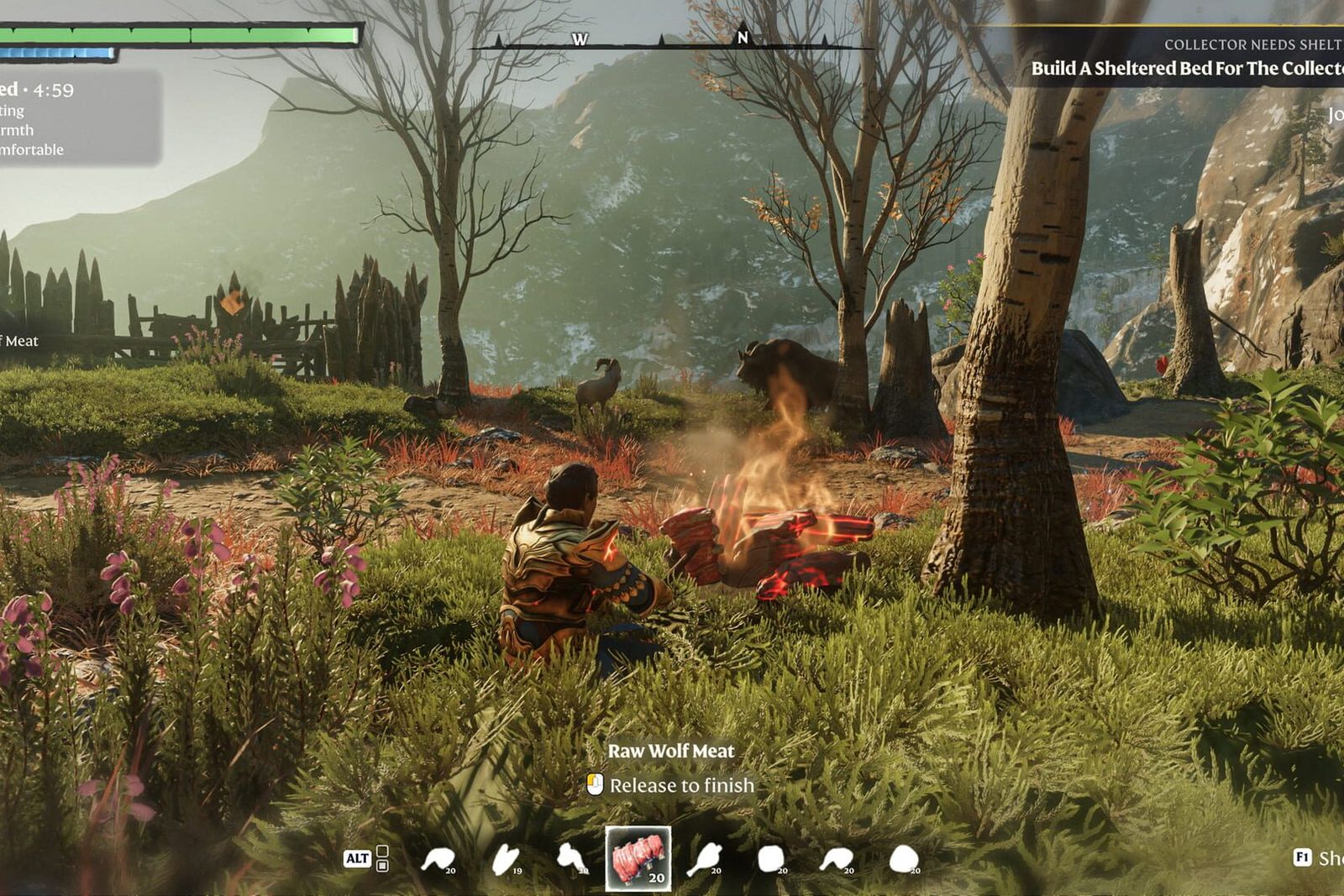
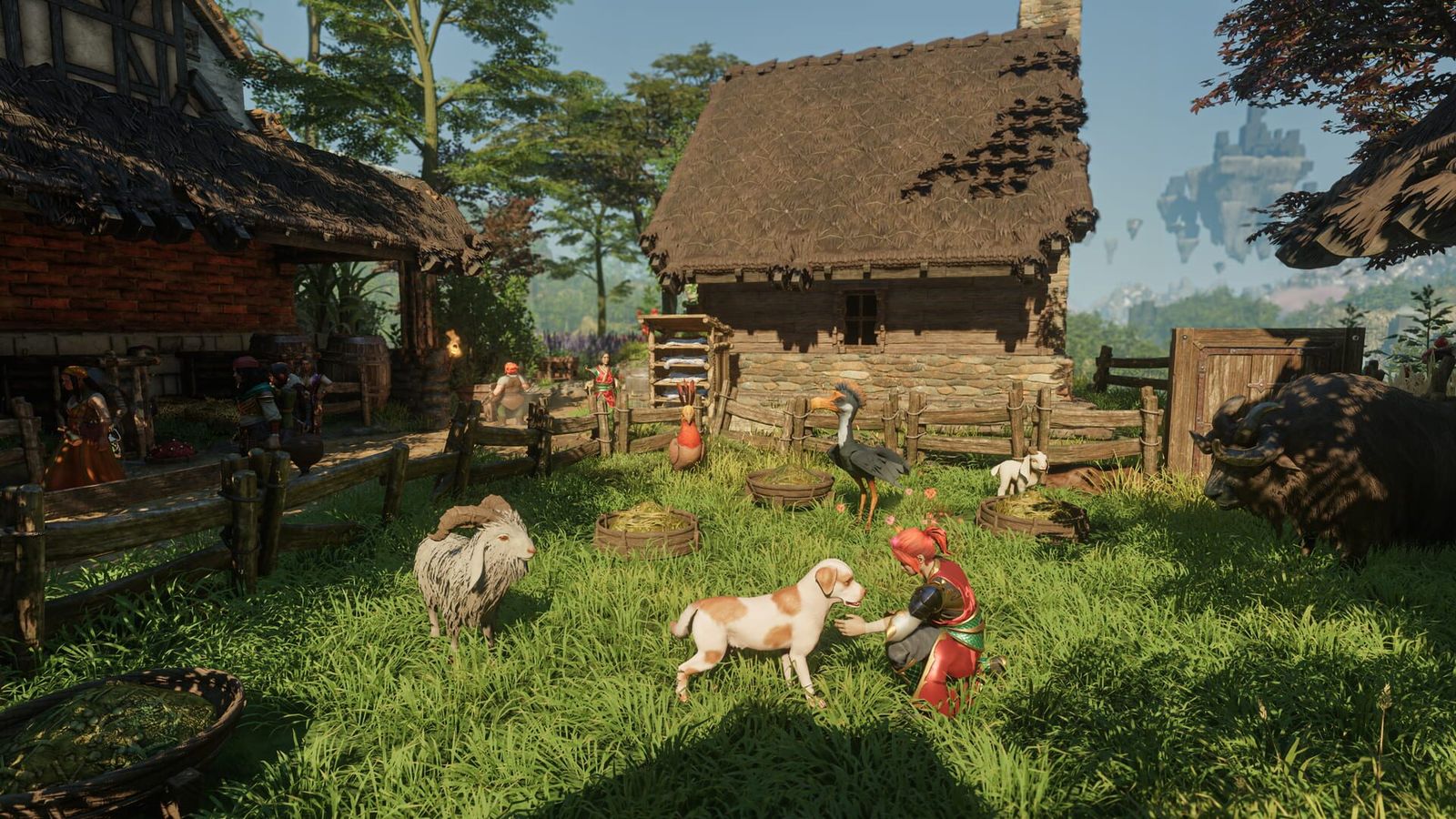
Once you rescue the Farmer, you can grow plants at your base and keep a stack of useful food at home. The 1.0 changelog shortened growth times overall (small plants are faster, large plants and trees slower) and made farm animals produce goods significantly faster. Fishing changed too: every fish can now be caught in any body of water with the right bait and a rod of high enough tier.
8. Know what your character keeps and what stays in the world
Characters and worlds are saved separately, so you can take your character to a friend's world and back. Keen's FAQ spells out the split, which matters before you abandon a world: rescued survivors and most recipes do not come with you, and you cannot farm Shroud roots by making new worlds.
| Travels with your character | Stays with the world |
|---|---|
| Equipment, inventory, levels and unlocked skills | Most crafting recipes (tied to survivors and stations) |
| Map memory and fog of war you removed | Survivors available to summon |
| Personal crafting recipes | Towers found by other players and shared with the group |
| Shroud roots already collected, lore texts, tutorials and towers you found | Your base and everything built in it |
Playing with friends on a permanent server is the cleanest way around this. Our dedicated server guide covers setup, passwords and the difficulty settings for a shared world.
9. Turn on the quality-of-life settings 1.0 added
Several of the best 1.0 changes are hidden in the settings menu. Holding the interact button now collects all scattered loot nearby (not chests, enemy drops or quest items), and a gameplay setting makes it automatic. Every HUD element has its own visibility toggle, there is an accessibility option to reduce camera inertia for motion sickness, and the low-health vignette can be toned down. Aim assist for ranged weapons is on by default with a controller and off with mouse and keyboard; both can be tuned.
10. Read the quest log, and don't panic after a failed boss attempt
1.0 sorts quests into main quests for progression and side quests for optional exploration and loot, and marks a quest as difficult when its target area and enemies are two or more levels above you. That label is the clearest signal of where to go next. If a boss wipes your party, it no longer resets instantly: enemies now recover health over time after you leave the fight, so returning quickly can catch a boss before it is back to full. The player level cap is 50, with gear reaching 55 when fully upgraded.
What to read next
Returning from Early Access? Our Enshrouded 1.0 changes guide explains what happens to your old save and character. Still deciding whether to buy? Our evidence-based Enshrouded review sets critic scores against Steam players, and the Enshrouded hub collects everything we have published on the game.
FAQ
Can you play Enshrouded solo?
Yes. Keen Games says Enshrouded can be played solo and offline, as well as in co-op with up to 16 players. Since 1.0, an Automatic enemy-amount setting scales encounters to the number of players actually nearby.
What difficulty should a beginner pick in Enshrouded?
Keen's help centre recommends Default for first-time players. Relaxed cuts enemies and adds loot for builders, Hard and Survival make combat tougher, and Custom unlocks individual sliders such as Shroud time, resource yield and weapon durability.
How do you get more time in the Shroud?
Drink Shroud Survival potions before going in, use hourglass capsules (about 70% more time each, per the 1.0 changelog), upgrade your Flame Altar or learn the Inner Fires skill. Large Fell enemies can also drop hourglass capsules.
Is Enshrouded crossplay between PC and PS5?
No. Keen Games said before launch that Enshrouded would not be cross-platform at release; it is working on crossplay but has given no estimate. The Xbox Series X|S version is due in spring 2027.
Is Enshrouded on Steam Deck?
Yes. Keen Games announced on 23 October 2026 that Valve had rated Enshrouded 1.0 Steam Deck Verified.
How do you fast travel in Enshrouded?
Flame Altars act as fast-travel points, and upgrading the Flame lets you place more of them (up to 16 at Flame level 11). Since 1.0 you can also fast travel while sleeping in a bed.
- Enshrouded 1.0 full changelog — Keen Games (Steam)
- Server Gameplay Settings (difficulty presets) — Keen Games help centre
- General Tips (mild spoilers) — Keen Games help centre
- Frequently Asked Questions — Keen Games help centre
- 1.0 Combat: changes and additions — Keen Games (Steam)
- Enshrouded Launch FAQ — Keen Games (Steam)
- Changelog for Hotfix 1.0.0.3 — Keen Games (Steam)
- Enshrouded is Steam Deck verified — Keen Games (Steam)
- What difficulty do you play on? (community thread) — r/Enshrouded