Ace Combat 8 PC Requirements, Steam Deck Status and Crash Fixes
What Ace Combat 8 needs on PC, why the Steam Deck is unsupported, and every official crash fix from Bandai Namco so far, plus player workarounds, clearly labelled.
Contents
Updated for Update Data Ver. 1.01.002 (scheduled 23 October): cutscene stability and crash fixes, Async Compute option, summary table; Ace Combat Zero standalone app now available. Virtual memory advice kept.
Updated with Bandai Namco's 16 October Product Notice ②: official virtual memory sizes (16 GB+ with 32 GB RAM, 32 GB+ with 16 GB RAM) added to the advice table; Ace Combat Zero standalone app now in final testing (13 October). Still no PC patch as of 20 October.
Updated with Bandai Namco's 9 October notice: a fix and gameplay update is in preparation (no date), and Windows 11 and SSD installs are now linked to Ace Combat Online matchmaking. Still no PC patch as of 13 October.
First published. Checked against the Steam store requirements and Bandai Namco's Steam notices up to 2 October 2026; no PC patch had been released.
To run Ace Combat 8: Wings of Theve on PC you need Windows 11, a graphics card with hardware ray tracing (an RTX 2060 or RX 6600 XT at minimum), 16 GB of RAM and an SSD with 150 GB free. The Steam Deck is officially unsupported. The first fix update, Ver. 1.01.002, is scheduled for 23 October: it improves stability in cutscenes, fixes several specific crashes and adds an Async Compute toggle, but Bandai Namco does not present it as a fix for every crash, so its 16 October virtual memory advice still applies.
This guide is built on the Steam store page and Bandai Namco's official site, the publisher's Steam notices from 29 September to 23 October (including the Update Data Ver. 1.01.002 notice), Valve's Steam Deck compatibility report and PC Gamer's review. Player workarounds from r/acecombat are labelled as such: AFK Journal has not tested them. Checked on 23 October 2026, the day Update 1.01.002 was scheduled to release.
What are Ace Combat 8's PC requirements?
Bandai Namco publishes two tiers on the Steam store page, and each comes with a performance target rather than a vague promise. The minimum spec aims at 1080p with upscaling at 30fps on Low; the recommended spec aims at 1080p with upscaling at 60fps on Medium. Neither tier targets native 1440p or 4K, and the publisher warns that frame rates may drop in graphics-intensive scenes.
| Component | Minimum | Recommended |
|---|---|---|
| Operating system | Windows 11, 64-bit | Windows 11, 64-bit |
| Processor | Intel Core i7-10700K / AMD Ryzen 5 3600X | Intel Core i7-12700K / AMD Ryzen 5 5600X |
| Memory | 16 GB RAM | 32 GB RAM |
| Graphics | Nvidia RTX 2060 (6 GB) / AMD RX 6600 XT (8 GB) | Nvidia RTX 3070 (8 GB) / AMD RX 6800 (16 GB) |
| DirectX | Version 12, Shader Model 6.6 or higher | Version 12, Shader Model 6.6 or higher |
| Storage | 150 GB, SSD required | 150 GB, SSD required |
| Official target | 1080p (upscaled), 30fps, Low | 1080p (upscaled), 60fps, Medium |
The 32 GB of RAM in the recommended tier is unusual for a flight game and worth taking seriously. One player in the r/acecombat bug report thread says the game uses around 90% of a 24 GB system during missions and all of it during loading.
Does Ace Combat 8 need a ray tracing graphics card?
Yes. Both tiers state that the game requires a graphics card with hardware ray tracing and DirectX 12 with Shader Model 6.6 or higher, and ray tracing cannot be switched off in the settings, according to Notebookcheck's summary of early Steam reviews. That rules out cards without ray tracing hardware, such as Nvidia's GTX 10 and GTX 16 series and AMD's Radeon RX 5000 series, however capable they are otherwise.
If your card clears the bar but sits near the minimum, upscaling is part of the plan rather than an optional extra: both of Bandai Namco's performance estimates assume an upscaled 1080p image.
How much storage does Ace Combat 8 need?
Plan for 150 GB on an SSD. That is the figure on the Steam store page on 6 October, while Bandai Namco's official site still lists 125 GB, the number reported by DSOGaming when the requirements were first published. The store page is the one tied to the current build, so use the larger number. A hard drive is not an option: both tiers require an SSD.
Leave headroom beyond the install, too. Bandai Namco's 29 September product notice lists 16 GB or more of free space on the SSD where the game is installed as one of its stability checks.
Does Ace Combat 8 work on Windows 10?
Officially, no: Windows 11 is the only operating system listed in either tier. Several players in the r/acecombat bug report thread list Windows 10 builds alongside their crash reports, so the game does appear to launch there, but it is outside the supported setup. If you report a crash to Bandai Namco from Windows 10, expect that to be the first thing it points out. Its 9 October notice goes further and names unsupported setups as one factor in Ace Combat Online matchmaking problems (see below).
Is Ace Combat 8 playable on Steam Deck?
Not officially. Valve's compatibility report on the Steam store rates Ace Combat 8 as Unsupported on Steam Deck, with the note that SteamOS does not support the game, and the same rating applies to SteamOS on other hardware. The FAQ at the top of the r/acecombat bug report thread adds that the game works on Linux in single player but not in multiplayer, which matters because Ace Combat Online is a large part of the package.
Some players in the same thread report getting the campaign running on Deck anyway, with every setting at minimum, exclusive fullscreen, a frame cap between 24 and 28fps and a larger swap file. Treat that as a hobby project rather than a way to play: it is unsupported, online is off the table and any update could break it.
Why does Ace Combat 8 crash on PC, and what does Bandai Namco recommend?
Crashes are one of the most common complaints in negative Steam reviews, as our evidence-based Ace Combat 8 review found, and many community reports describe an Unreal Engine "Error 01" crash at launch or during cutscenes. Bandai Namco has acknowledged the problem in three notices and scheduled its first fix update, Ver. 1.01.002, for 23 October; its notes list specific crash fixes and better stability in cutscenes rather than a cure-all. This is its official advice in full.
| Problem | Official advice | Notice |
|---|---|---|
| Crashes during play | Use the recommended graphics driver version shown when the game launches | Product Notice, 29 September |
| Crashes during play | Keep 16 GB or more free on the install SSD and make sure Windows virtual memory is enabled | Product Notice, 29 September |
| Memory-related crashes | Raise Windows virtual memory: 16 GB or more with 32 GB of RAM, 32 GB or more with 16 GB of RAM. A temporary workaround that reduces some crashes, not a fix | Product Notice ②, 16 October |
| Crashes that persist | Post your specs, Windows version, error code, steps to reproduce and other running apps in the official thread | PC Crash Report Thread, 2 October |
| Error ST-3100001 in Ace Combat Online | The server connection was lost: synchronise the Windows clock, then try again | About Error Code: ST-3100001, 30 September |
| Missing flight stick options | No fix yet; improvements towards Ace Combat 7's options are being explored and may take time | Flight Stick Support Update, 30 September |
| Crashes in cutscenes and specific menus | Install Update Data Ver. 1.01.002: better stability in cinematic scenes and replays, plus fixes for crashes in Mission 11, Select Aircraft and the Aircraft Tree | Update 1.01.002 notice, 20 October (release 23 October) |
Virtual memory is the Windows page file. Switch it on, or enlarge it, under Advanced system settings > Performance > Settings > Advanced > Virtual memory: untick automatic management and set a custom size, which Windows asks for in MB (16 GB is 16,384 MB). In its 16 October product notice Bandai Namco says systems with about 48 GB of RAM plus virtual memory crashed less in its internal testing, calls the game's memory use a significant issue and stresses that a bigger page file does not address every crash. If crashes continue, the official crash report thread is where Bandai Namco is collecting data. For the online error, the ST-3100001 notice offers nothing beyond the clock check.
What workarounds are players reporting?
- Run the Unreal Engine prerequisites installer that ships with the game, in the install folder under Engine\Extras\Redist\en-us. One player in the r/acecombat bug thread credits it, alongside other changes, for ending Error 01; another says it made no difference.
- Switch from borderless to exclusive fullscreen and cap the frame rate at 60fps, reported in the same thread as part of a setup that stopped crashing.
- Change the graphics driver. An RTX 4060 owner reports that Error 01 in the intro cutscenes stopped after rolling back to an older Nvidia driver, which fits Bandai Namco's own advice to use the version the game recommends at launch.
- Drop Textures from Ultra to High to reduce cutscene stutter, as suggested in a 4 October r/acecombat post, and Clouds from Ultra to High, which another player paired with a 120fps cap on an RTX 5080.
The pattern in these reports is that crashes cluster around cutscenes and hit recent high-end cards as well as older ones, so a powerful PC is no guarantee of a clean run until a patch lands.
What performance can you expect on PC?
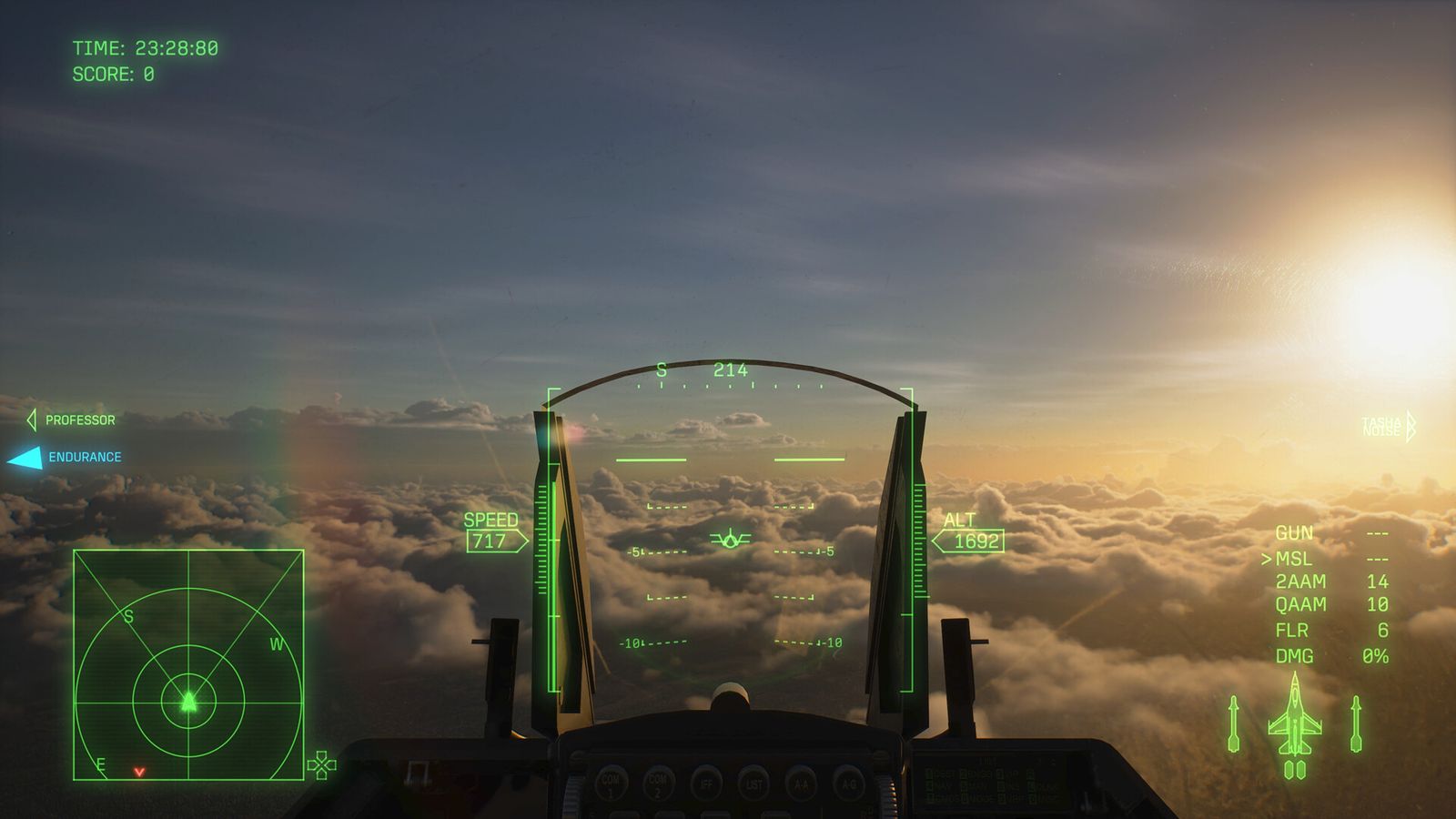
PC Gamer, which reviewed the PC version, reports mostly stable performance at 1440p, with occasional hitching in first-person cutscenes and frame rates sometimes dipping under 60 when a huge fireball fills the screen. It also flags the missing field-of-view slider, a sore point because the game plays best from the cockpit.
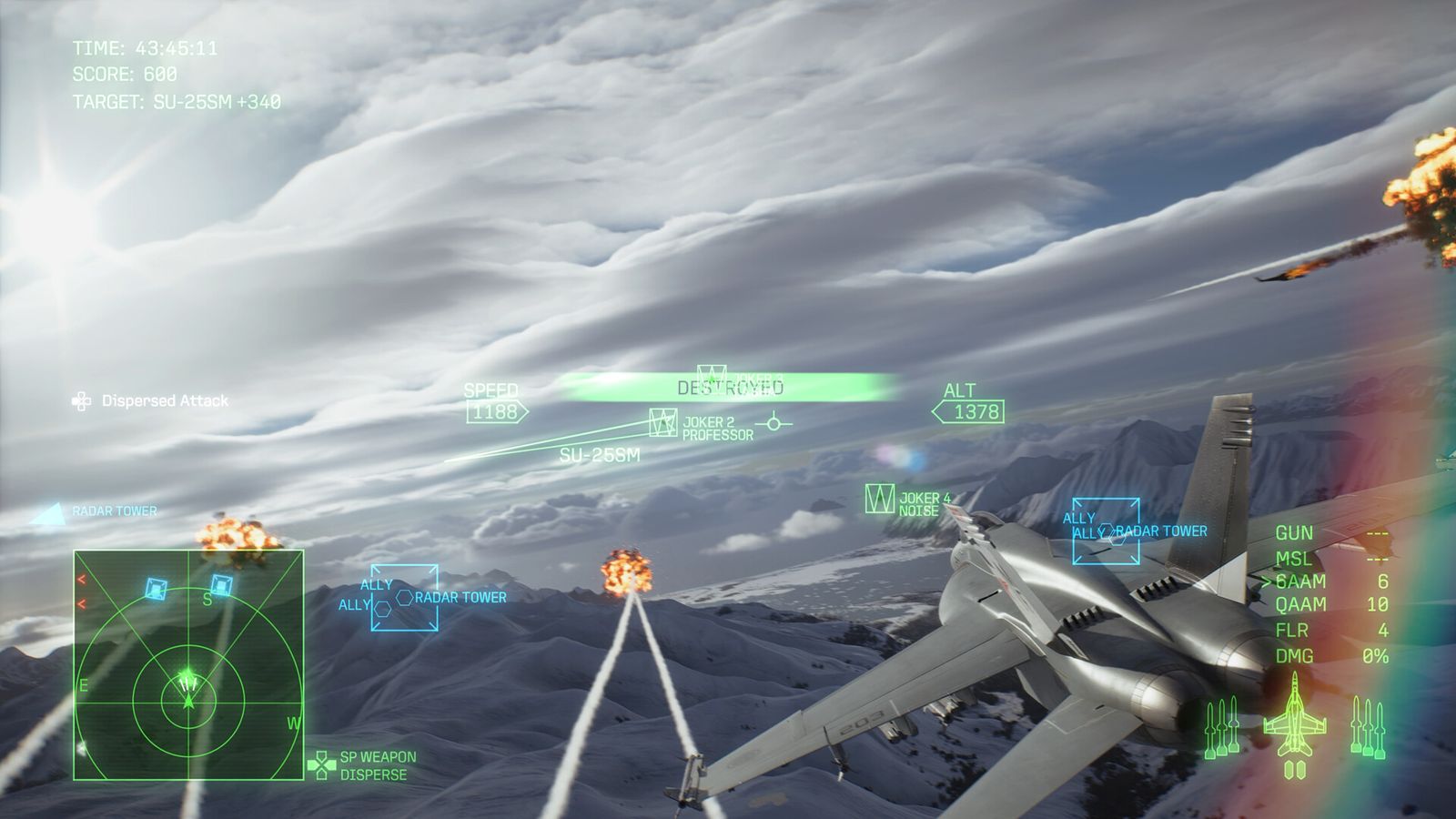
Early Steam reviews summarised by Notebookcheck describe frame-rate drops in intense dogfights and limited options for fine-tuning upscaling. With the official targets topping out at upscaled 1080p and 60fps on Medium for an RTX 3070, owners of mid-range cards should aim for 60fps with upscaling rather than high native resolutions.
What still hasn't been fixed on PC?
Two PC complaints still had no official fix on 23 October; the third, Ace Combat Zero, was resolved that day.
- No FOV slider. A 29 September r/acecombat request for one drew 154 upvotes, and Bandai Namco has not addressed it in its Steam notices. The Update 1.01.002 notes do not mention one either.
- Flight stick and HOTAS options. Bandai Namco admitted on 30 September that some device settings from Ace Combat 7 are missing and said improvements may take time. Update 1.01.002 only changes the connection settings for certain peripheral devices and refers owners to the device maker for details.
- Ace Combat Zero. The pre-order bonus that caused a row on Steam used to run only through Ace Combat 8, so it needed the full install. On 2 October Bandai Namco said it was exploring a standalone Steam app, and on 13 October it confirmed the standalone version is in final testing. On 23 October Bandai Namco announced the standalone app is now available, rolling out to eligible Steam libraries in stages. It is only for players who got Zero as a pre-order bonus. Saves on the same PC carry over automatically, and Steam Cloud must be on to move them to another PC. To skip the launch dialog in Ace Combat 8, tick "Always use this option" or untick the Zero DLC under Properties > DLC.
Steam's verdict is recovering regardless. On 6 October, 79.6% of 13,729 Steam reviews were positive (Mostly Positive), up from 78.7% of 12,593 the day before.
What changed since this guide was published?
Update, 23 October 2026: the first PC fix update is due today. Bandai Namco's Update Data Ver. 1.01.002 notice, posted on 20 October, scheduled it for 23 October. The notes do not mention memory use, the FOV slider or a general crash fix, so keep the virtual memory settings above if you still crash after updating. The table sums up what changes.
| Area | What Update 1.01.002 changes |
|---|---|
| Stability | Better stability in cinematic scenes and replay playback; crash fixes for a Mission 11 chain explosion, sorting in Select Aircraft and the first visit to the Aircraft Tree with certain DLC aircraft |
| Campaign | Progression blockers fixed in Missions 6, 10, 13, 14, 16, 18, 25, 28 and 30; Ladon in Mission 15 adjusted on Elite and above; flares for Shadow 22 and wingmen in Mission 28 adjusted |
| Ace Combat Online | Shorter effect duration for the ECM, ESM and IEWS special weapons; fixes for account creation, controller reconnection, social features and Military Training landings |
| PC options | New Async Compute on/off setting under SYSTEM on GPUs that support it; some keyboard key assignments adjusted |
| Store | ACE COINS purchases now go through with the Steam Overlay switched off |
Update, 20 October 2026: still no PC patch, but a new official workaround. In Product Notice ② on 16 October, Bandai Namco said that more total memory (RAM plus Windows virtual memory) reduces some memory-related crashes, and recommended virtual memory of 16 GB or more on 32 GB systems and 32 GB or more on 16 GB systems. It calls these values general guidance rather than a permanent solution, and says it is also working to cut the game's memory consumption. That makes the virtual memory tip in our table above the first thing to try, especially on 16 GB machines, which sit at the minimum spec.
Before that, on 9 October, Bandai Namco posted an update on its plans saying an update with fixes for some reported issues and "various gameplay adjustments" is in preparation; the schedule and contents will be announced once they are final.
The same notice covers Ace Combat Online. Bandai Namco says missions can be harder to match than intended, and that one factor it has found is players connecting from setups that do not meet the system requirements, which it says can also affect everyone else in the session. It asks players to use Windows 11 and to install the game on an SSD, and says it has seen cases of the game being played from a hard drive. In other words, the Windows 11 and SSD requirements above now matter for matchmaking as well as for crashes.
What to read next
If your PC passes, the next question is usually what the online mode costs: our Ace Combat Online and Ace Pass explainer covers modes, seasons and prices. Everything else we publish on the game, including updates to this guide as new PC patches arrive, is collected on the Ace Combat 8 hub.
FAQ
Can I run Ace Combat 8 without a ray tracing graphics card?
No. Both official spec tiers require a GPU with hardware ray tracing and DirectX 12 with Shader Model 6.6 or higher, so cards such as the GTX 1080 or Radeon RX 5700 XT are below the bar. Ray tracing cannot be switched off in the settings.
Does Ace Combat 8 work on Steam Deck?
Not officially. Valve rates it Unsupported on Steam Deck and says SteamOS does not support the game. Some players have the campaign running at minimum settings with a frame cap in the mid-20s, but the r/acecombat FAQ says multiplayer does not work on Linux.
How much storage does Ace Combat 8 need on PC?
The Steam store page lists 150 GB, and an SSD is required. Bandai Namco's own site still shows the original 125 GB figure, so plan for 150 GB plus the 16 GB of free SSD space the publisher recommends as a crash check.
How do I fix error ST-3100001 in Ace Combat 8?
Bandai Namco says ST-3100001 means the connection to the game server was lost in Ace Combat Online. Its only suggested fix is to synchronise the Windows clock (Settings > Time & language > Date & time > Sync now) and try again.
Has Bandai Namco patched the Ace Combat 8 PC crashes?
Partly. Update Data Ver. 1.01.002, scheduled for 23 October 2026, improves stability in cutscenes and replays and fixes several specific crashes. Bandai Namco does not say it fixes every crash, so its virtual memory advice (16 GB or more with 32 GB of RAM, 32 GB or more with 16 GB) still applies.
Can I play Ace Combat Zero without Ace Combat 8 installed?
Yes, if you got it as a pre-order bonus. Bandai Namco said on 23 October 2026 that the standalone Steam app is rolling out to eligible libraries in stages. Saves on the same PC carry over automatically; turn on Steam Cloud to move them to another PC. It cannot be obtained any other way.
Latest Ace Combat 8: Wings of Theve news
Game hub
Ace Combat 8 Climbs to 71% Positive on Steam in Early Access Despite the Belkan War Bonus Row
Ace Combat 8 went from a 50/50 first day to 71% positive on Steam. We counted what negative reviews complain about: crashes and performance lead; the Belkan War DLC comes fourth.
- ACE COMBAT 8: WINGS OF THEVE store page, PC requirements and Steam Deck rating — Steam
- Ace Combat 8: Wings of Theve official site and system requirements — Bandai Namco Entertainment
- Product Notice: unexpected crashes on Steam (29 September 2026) — Bandai Namco Entertainment via Steam
- PC Crash Report Thread (2 October 2026) — Bandai Namco Entertainment via Steam
- About Error Code: ST-3100001 (30 September 2026) — Bandai Namco Entertainment via Steam
- Flight Stick Support Update (30 September 2026) — Bandai Namco Entertainment via Steam
- Ace Combat 8: Wings of Theve review — PC Gamer
- Ace Combat 8: Wings of Theve Gets Official PC Requirements, Will Have Denuvo — DSOGaming
- Mixed Ace Combat 8: Wings of Theve Steam reviews warn of release date regrets — Notebookcheck
- AC 8 Bug Reports & Game Crashing Issues (community thread) — r/acecombat
- Upcoming Update Plans for ACE COMBAT 8 and Matchmaking Status in ONLINE MODE — Bandai Namco (Steam)
- Product Notice ② (16 October 2026) — Bandai Namco Entertainment (Steam)
- About ACE COMBAT ZERO: THE BELKAN WAR ③ (13 October 2026) — Bandai Namco Entertainment (Steam)
- Steam Update Data Ver. 1.01.002 Release Notice (20 October 2026) — Bandai Namco via Steam
- About ACE COMBAT ZERO: THE BELKAN WAR ④ (23 October 2026) — Bandai Namco via Steam